5 Easy Steps to Set Up Google+ For Your Business – and show up in search results!


Notice: Undefined variable: str in /home/content/14/7537314/html/blog/wp-content/plugins/sharebar/sharebar.php on line 100

Does your business have a Google Plus business page? If not you should consider creating your Google+ business profile to help you get ranked/indexed by Google for search engine optimization. The more followers and +1’s your Google+ page receives, the more influential your brand will appear. Google+ can help you build relationships with your audience and also help you attract new followers. Setting up a Google+ business page is easy, just follow these 5 steps to get the most out of the social media platform.

Step 1: Create a personal Google account

This is an important first step that you must do before creating a Google+ business page. Google+ pages require a personal google account to act as the owner of a business page. The owner will remain anonymous to followers of the Google+ page and if you would like to add additional managers to your page you can do so later on. Go to http://plus.google.com to first create your personal profile or to sign into your current personal profile.

Step 2: Create your Google+ Business account

Visit http://www.google.com/+/business/get-started.html and click “Create a Google+ page” to get started. Then you are able to select a category (Local Business, Company, Product or Brand, etc.),then you can add your company name and website (if you have one), click “Create” and your page is live!

Step 3: Optimize your Google+ page

There are a number of things you can do to optimize your Google+ page to attract your audience and boost your company’s image:

  • Enter a tagline – tell the world what your business is all about in 10 words or less.
  • Add your website URL
  • Add a profile photo – use your company logo or other pic that identifies your business. Upload an image that is 500 x 500 pixels for best results.
  • Add a cover photo – The new cover photo dimensions are 2120 x 1192 pixels, giving you plenty of space to work with. Get creative and feature a team image or people using your top products.
  • Fill out your About section - add a description, contact information, business hours, social media links, etc. for your company
  • Add photos and videos to enhance your profile


Step 4: Promote your new Google+ page!

A) Add a Google+ Badge to your website. Place it above the fold, preferably in the header of your website so it can be seen on every page. Also, to help Google show your Google+ page on the right side of search results when people search for your company name, link your Google+ page to your website. Here’s how:

  • In your Google+ account add the website in the “contributor” section of your profile, then add the following tag to the header of your webpage:

<link rel=”publisher” href=”GOOGLE_PlUS_ACCOUNT_URL>

Wait a few days for Google to reindex your site and you should be on your way! Of course this doesn’t guarantee that Google will include your profile in the search results.

  • Here’s a different way:

1. Make sure your site’s home page is available to appear in Google’s search results and isn’t blocked by a meta noindex tag or by your robots.txt file.

2. Update your site’s home page by adding a link to your Google+ page.

3. Link to your website from your Google+ page.

4. Verify your business with Google.

5. Use the rich snippets testing tool to check your markup and make sure that Google can extract your page info from your content.

For more detailed steps click here: https://support.google.com/webmasters/answer/1708844

B) Post on Facebook, in your email signature line, in your newsletter, on twitter, etc. inviting people to Follow you on Google+. You can even give them an incentive for following you like the opportunity to enter a giveaway or download a free ebook or coupon.

Step 5: Verify your Google+ Business page

After you get some followers, complete this Google+ Page Verification Request form which will help your Google+ page show up in search results when someone searches your company name which includes a follow button! (Example: search on Google “Ben & Jerry’s” without the quotes of course. See the right side information that shows up with and follow button. This is for Google+.) : https://support.google.com/plus/contact/page_verification?hl=en&rd=2

Once you’ve finished setting up and optimizing your Google+ business page, start sharing quality content by posting links, photos and videos on your profile. Share some of the same content you post on Facebook or Twitter and interact with your followers to encourage +1s. You can follow your fans’ posts, +1 their updates, and comment on status messages. You’re also able to create your own circles for customers, fans, clients, etc. and see who has added your company to their circles.

Please share if you think this post was helpful and Like Social Media 22 on Facebook!

Tasha MayberryBlog written by Tasha Mayberry, Co-Founder of Social Media 22, LLC

Tasha is the Co-Founder of Social Media 22 with her husband Pavel. Social Media 22 is a web design and internet marketing company that helps companies gain online visibility and obtain new business using easy and affordable techniques. They specialize in custom website development, website revamping, blog and newsletter design, search engine optimization, social media marketing, public relations/media outreach, and overall marketing for entrepreneurs and small businesses. Tasha has gotten clients on major news TV networks including Good Morning America, Fox, and NBC. Additionally, their clients have been seen in many magazines including In Touch Weekly, Marie Claire, Baby & Child, The National Enquirer, Pregnancy & Newborn, and more as well as major radio shows. To contact Tasha email [email protected].

Posted in online marketing | Tagged , | Leave a comment

Five Free Ways to Generate New Business


Notice: Undefined variable: str in /home/content/14/7537314/html/blog/wp-content/plugins/sharebar/sharebar.php on line 100

free-ways-to-grow-businessYou can still generate leads with a limited marketing budget. Many companies are “shoestring” businesses and in the start-up phase it is important to maximize ROI and obtain new business without investing a lot of money. Here are four affordable ways to generate leads:

1. Build your prospect list with a Value Offering. You want to capture the name and email of as many people who visit your website. An easy way to do this is to offer something of value for free – I call this your value offering. This could be a free ebook, a reference or how to guide, a free product, etc. Make sure your value offering is visible on your home (or even on every web page) and is “above the fold.” The best way is to have a simple form that describes what the value offering is and its benefits, then two fields: 1) Name and 2) Email (and Company Name if you sell B2B). Then once they submit the form, an email is sent with their download link or instructions on how to redeem their “gift” or a web page appears with this information (all automated so no extra work for you!). Now, you have given value AND collected prospect information for your marketing/email list. Plus, if the content is great in the ebook or whatever you offer, they will likely contact you for more help. *Always provide a visible unsubscribe link or way to unsubscribe when emailing prospects.

2. Write Guest Blogs. Content-driven marketing is extremely effective and is a way to show your expertise/product/brand. Search for blogs within your industry – preferably with high traffic. Look at the number of subscribers, number of Facebook fans or even the website’s Alexa Rank to gauge this (check out this free tool to check Alexa Rank; anything under 750k is a good ranking and the lower the better). Then contact the blog owner and ask them if they would be interested in posting a guest blog on (your topic). Most bloggers will say yes because it provides valuable content and variety for their blog without taking the time to write themselves. Make sure your guest blog is informative/helpful/interesting. Guest blogs are not the place to sell your product. The most successful blogs are short and concise (400 – 600 words) offering tips of some sort, steps on how to accomplish something, or even advice (bullet points or lists work well for easy reading). At the end of your blog, make sure to add a short bio. This is where you can promote yourself and your business so explain what you do, link to your website and even better, add a call to action (“Like us on Facebook to receive a free ebook” or “Enter our giveaway at www.yourwebsite.com”). If the content is helpful in your guest blog, people will take notice and click to your website and even take action to become a prospect/client.

3. Create a button or small banner. Think of this as an advertisement that clicks to your website. Other bloggers and business owners who you partner with or who want to recommend you can place this button on their websites, blogs or even in their newsletters. Often times other businesses will gladly add your button in exchange for you adding their information to your website. The easiest way to do this is to create an “Our Friends” page or something along these lines. Here is an example: http://www.woombie.com/static.php?page=our_friends

By having a button or banner on another website you are in front of more people seeing your call to action and they will likely click to your website to learn more if the button is optimized.

Here is example code for a button (you can use this same code and just replace with your website/landing page link after the href= and then the link to your button image as the src=; careful not to erase the quotation marks):

<a href=”http://babeecovee.com/” target=”_blank” title=”6-in-1 Baby Blanket and Cover”> <img alt=”BabeeCovee multi-use baby blanket and cover” src=”http://www.babeecovee.com/images/babee-covee-button.jpg”> </a>

Make sure your button clearly states what your company is or does – you can illustrate with an image too. Other tips when creating a button/banner:

  • Add a call to action: “Like us on Facebook to receive 10% OFF” for example.
  • Make the button small: 150 pixels by 150 pixels is best
  • Add the button to your website – “Grab My Code” – show the button and show the code to copy so people visiting your website can add your button to their site if they want. See how we set this up for Woombie at www.woombie.com (home page, bottom left)
  • Save the button using keywords in the file name (helps SEO).
  • Add a keyword rich title tag and alt tag like in the above code example (again for SEO).
  • Always make sure the button clicks to your website or landing page.


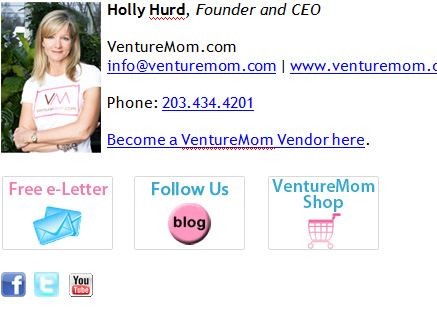
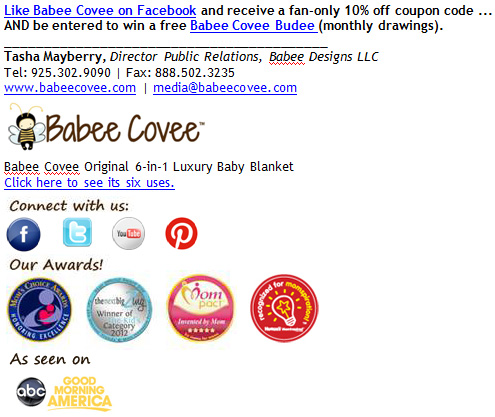
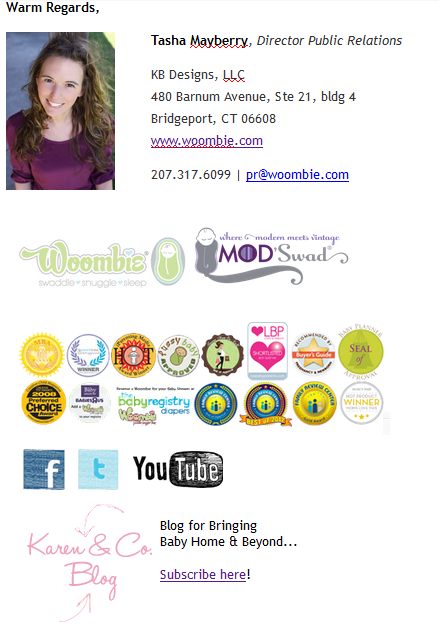
4. Create a custom email signature. A custom email signature grabs people’s attention and makes your company look professional and perhaps bigger than it is. Every time you send an email you have a chance to market your business. In your signature make sure to add:

- Name and Title
- Company Name and even a tagline if you have one
- Address (people like to know this when doing business with you)
- Phone, Fax, Email, Website
- Call to action (see example signatures below)
- Social Media Icons
- Picture of you and/or your logo

Example #1

custom email signature design example

Example #2

custom signature for emailExample #3

email signature design 5. Build a Facebook “Fan Reveal Tab”

You can only market your company yourself to a certain point, but with social media and word of mouth marketing and viral content these days, can bring you to an entirely new level! It’s so awesome! There are limitless opportunities to use social media to promote your business and obtain new customers, but one of our favorite strategies is the Facebook “fan reveal tab.”

This is a tab on Facebook that offers a value offering (coupon, eBook, giveaway, guide, free consult, etc.), but in order to claim the offer one must like your Facebook page. Non fans see text like: “Like ABC Company On Facebook to Enter our Monthly Giveaway!” Once they like your page, fan-only content appears with the download link, entry form, etc. to claim the value offering. Using Rafflecopter is quick and easy and captures the name and email of everyone who enters so not only are you getting more Facebook fans, you can also add these prospects to your email marketing list (again make sure you have an unsubscribe button on all emails).

Examples to see how it works:

Babee Covee’s Fan Reveal Tab
Little Toader’s Fan Reveal Tab
Family Sleep Institute’s Fan Reveal Tab

Overall, there are many ways to generate leads without spending a lot of money. Think outside the box and use your expertise and valuable content as your main tool to get more business.

Did you think this blog was helpful? Please share!

Blog written by Tasha Mayberry, Co-Founder of Social Media 22, LLC

Tasha is the Co-Founder of Social Media 22 with her husband Pavel. Social Media 22 is a web design and internet marketing company that helps companies gain online visibility and obtain new business using easy and affordable techniques. They specialize in custom website development, website revamping, blog and newsletter design, search engine optimization, social media marketing, public relations/media outreach, and overall marketing for entrepreneurs and small businesses. Tasha has gotten clients on major news TV networks including Good Morning America, Fox, and NBC. Additionally, their clients have been seen in many magazines including In Touch Weekly, Marie Claire, Baby & Child, The National Enquirer, Pregnancy & Newborn, and more as well as major radio shows. To contact Tasha email [email protected].

Posted in marketing, online marketing | Leave a comment

Post Valuable Content That Drives Action (Part III of III)


Notice: Undefined variable: str in /home/content/14/7537314/html/blog/wp-content/plugins/sharebar/sharebar.php on line 100

This is the last part of our blog series: How to Use Linkedin to Grow your Business. Part I went over how to optimize your profile and Part II talked about how to grow your networks. Now that you have a Linkedin profile and people (connections as Linkedin calls them) now what? The answer is simple: post valuable content that drives action (but don’t be salesy!).

We all know it – or should know it by now – content is king! Bringing real value to your target audience and customer base is a must if you want your website or blog to succeed. I learned from a recent training with Brendon Burchard that you want to deliver content that is so valuable you can say, “Geesh, I could sell this or people would pay to know this information.” That’s how you know you have value.

This post will discuss two parts:

1) Creating valuable content.

2) Creating content that drives action.

If you make sure to do both 1 and 2, then you will get more website traffic and more followers/fans/subscribers, which means more business for you.

Creating Valuable Content

#1 Here are some tips to creating valuable content:

  • Provide powerful and insightful information with a clear focus.
  • Create content for each target audience.
  • Use examples, stories, case studies and statistics.
  • Create titles that grab one’s attention!

o Ask a question
o Spark their curiosity (don’t put full description in title – make them want to read more)
o Present title as a problem based question – not solution based

  • Segment target audiences and create web pages that speak to them, press releases targeted towards them, etc.
  • Develop a site personality – This is HUGE! Create a distinct, consistent and memorable site. Consider tone of voice in content.
  • Insert photos, graphs, charts, polls, videos, audio – need more than just text! Content is everything you see – catch people’s attention.
  • Make the content interactive – wikis, calculators, quizzes, “Ask the Expert,” trivia, “Your Expertise Q&A,” How To Checklist, etc.
  • Give opportunity to post comments/feedback – this will give ideas for content the prospect wants to read.
  • Showcase a client’s story.
  • Remain focused on buyers and their problems.
  • Always be answering the “So what?” – why should people pay attention?
  • Post interesting articles that your target audience would enjoy.
  • Set Google Alerts for keywords within your industry to learn what is being talked about, what is in the news, etc. Then build off this for your content.
  • Follow blogs that your target audience would follow. Repost interesting blogs or build off from what people are commenting on. Find the current buzz!
  • Check in with your target audience – ask them for feedback, post a poll, etc.
  • Giveaways, contests, or any other appealing content will draw in more followers, fans, etc.
  • Make content benefit based – what’s in it for them (your target market)?
  • Stay away from product driven messages.
  • Always think of the wow factor – what makes your company unique – not just better.
  • Always have a call to action; what step do you want your readers to take next?

#2 Creating Content That Drives Action

Now that you have content that brings value to your target audience and customer base, make sure it drives action as David Meerman Scott would say. So what does this mean? Everything you write, a Linkedin post, Facebook post, a Tweet, a newsletter, an article, a blog, and even content for a web page should all have a call to action. For example, if you write a blog post on Top 10 tips for PR, at the end you could have a call to action that drives action like this:

Do you have another PR tip? Please comment below or keep the conversation going on Facebook! Post your tip on our wall with your name and website URL.

This call to action does a few things:

1. It drives traffic to your Facebook page.

2. It encourages interaction on your Facebook page; the more activity on your Facebook page with fans the better.

3. Gives others a chance to showcase their expertise and link back to their website; and you could even learn something new!

Check out this blog from Entreprenette to learn unique call to actions that work for other entrepreneurs:

What’s Your Call to Action?

This concludes our series: How to Use Linkedin to Market Your Business. Part I taught you how to optimize your profile, Part II discussed how to grow your networks, and Part III showed you how to post valuable content that drives action.

Do you have another tip or a comment? We want to hear from you! Please comment below and make sure to link back to your website. Also follow Social Media 22 on Twitter and we will follow you!

Godspeed.

Posted in Uncategorized | Leave a comment

How to Grow Your Network on Linkedin


Notice: Undefined variable: str in /home/content/14/7537314/html/blog/wp-content/plugins/sharebar/sharebar.php on line 100

Part II of III: How to Use Linkedin to Market your Brand

In the previous post we gave tips on how to create and optimize your Linkedin profile and also gave some action steps to take. Click here to review the previous post: How to Create and Optimize your Linkedin Profile.

On to step 2: Grow Your Network

Know your Target Audience First

Before you start randomly connecting with members on Linkedin, you should first take the time to know what type of professional you want to connect with. Complete this worksheet to develop your target audience profiles:

Worksheet: Developing Target Audience Profiles

Linkedin Rules: You Can’t Connect with Just Anyone

Linkedin has a rule about connecting with other professionals; you essentially have to know them or be in the same group as who you want to connect with. When you ask a member to join your network you have these choices to choose from:

Create a Custom Invite

Your invite to connect is your first impression, so personalize the message rather than using the computer generated invite. Briefly state that you want to connect and the reason (300 characters or less including spaces). Important: The invite message is not the time to market your product or service; an invite should give a compelling reason why the other member should be a part of your professional network (collaboration with likeminded professionals, potential mutually benefiting opportunities, looking for guest bloggers – whatever the reason may be). Here is a blog I found helpful:

11 Ways to Personalize a Linkedin Invite

Keep in mind that people can respond to your invite by choosing:

  • “accept”
  • “ignore”
  • “report as spam”

You obviously do not want to be reported as spam, so don’t be salesy in your invite and be genuinely interested in connecting with a quality contact.

It’s not About Quantity! Seek Quality Connections

When I receive a Linkedin invite I do not approve the connection without first scanning the member’s profile. This is important for a couple reasons:

1) You want to connect with quality professionals that you can potentially work with even if it’s just to collaborate or give referrals; it’s not about how many connections you can get, it’s about the quality and connection potential you have with each person.

2) After you approve the request to connect, it’s important to send an email message thanking them – this is where you should restate something on their profile that is interesting to you or relates to what you do, etc. Making the connection personal is essential if you truly want to build substantive business relationships that could help you (and them) make more money.

Linkedin Search Box is Your New Best Friend :)

You can search for people, companies, groups, job postings and more using Linkedin’s search feature. Depending on what you are searching for make sure the appropriate choice is selected as shown below:

Ways to grow your network

1. Find people you already know! As discussed in the previous blog post, you can grow your network by adding those you already know. Export your contacts from your CMS system and email accounts to import into Linkedin Connections. Go to Connections Tab, select Add Connections from drop down menu and then click on the link that says “Import your desktop email contacts.” From here you can easily upload a CRV file (excel) as shown below:

2. Search for Companies you know! Linkedin has recently added Company Pages where you can search for company profiles. Often employees of the company will be connected to the company profile; follow the companies you know and then request to connect with its employees.

*Create a Company page for your business in order to be found by others too.

3. Join Groups.

Industry and Target Audience Specific Groups

You can join up to 50 Linkedin Groups so join 50 groups. Yes, you should join a few groups that are specific to your industry to connect and collaborate with professionals within your field, but join more groups that your target audience are members of. For example: One of my clients The Woombie has this awesome patent on a unique baby swaddle. Some of the groups she could join on Linkedin are:

Moms Extraordinaire 3,272 members!

Kids Stuff: New baby and children’s products 2,095 members!

When Karen (invetor of the Woombie) joins these Linkedin Groups, she has access to the thousands of members; members that are likely interested in connecting with The Woombie and learning more.

Further, being part of a group allows you to deliver valuable content to your target audience through group posts (will cover this in part III). Join in on conversation threads and post helpful information; create a name for yourself in each group…eventually people will start to recognize you. Tip: Create a signature line for every post or comment you create in a group: name, company, website URL or Blog URL, and Twitter handle.

Open Networking Groups

There are “open-networking” groups such as “LION” and “Open Networkers.” The members of these groups are open to connect with anyone on Linkedin hence the term “open networker.” Joining one or two open networking groups may be a good idea so that you can have access to a variety of professionals. By joining a group like this however, you are also saying that you are an open networker and will connect with anyone. If you choose not to connect with someone from an open networking group, make sure you do not mark as spam so they will not get docked by Linkedin for you not accepting their invite.

Tip: When inviting someone to connect that you do not know, state the reason why you would like to connect with them in your invite.

4. Add your Linkedin Profile link to your email signature line, newsletters, white papers, articles, eBooks, or any other communications you send to your target market. Ask people to connect with you on Linkedin and make it easy for them to click an icon or link to do so.

Conclusion…

Overall, growing your network is an important step in order to effectively brand your company (or yourself) on Linkedin. Before you can deliver valuable content, you must first have connections to reach out to; connections made up of people in your industry, but - most importantly - connections that are within your target markets.

If you have not completed your action steps from Part I, please do so before we post Part III: How to Create and Optimize your Linkedin Profile. Linkedin will help you build a recognizable brand and will bring in business if you follow each step. Feel free to post any questions in the comment section below and I will help you!

Your Next Steps:

  1. Export all contacts from CRM system and all email accounts (repeated step from Part I) so may already be done!
  2. Complete Worksheet: Developing Target Audience Profiles
  3. Create a generic invite that you can use (300 characters or less); then when you are ready to send an invite, personalize it according to the person you are trying to connect with.
  4. Write a list of search terms associated with your industry and target market.
  5. Use Linkedin Search to find people and companies you know.
  6. Enter keywords from your list in Linkedin Search (select “Groups”); join 50 groups…a few industry specific, a couple open networking groups, and mostly groups your ideal prospect would be a member of.
  7. Once the group approves you, start posting value in each group and join in on the conversation! Don’t forget to create a signature line with name, company, URL, blog, and Twitter Handle so if a member likes what they read, they can easily get to more information! (more in Part III on posting valuable content)
  8. Download Linkedin icon or create a link asking people to connect; link icon or link to your profile page. Say the words: “Connect with me on Linkedin.” Use this link in emails, newsletters, etc.

Do you have any other strategies to grow your Linkedin network? We want to hear from you! Post your comments below.

Also, follow us on Twitter @SMMSEO22 to be entered to win $100 gift card for any of our services – drawing is at the end of every month and the winner will be announced on Twitter.

Part III coming soon: “Post Valuable Content that Drives Action”

Godspeed.

Posted in Linkedin, marketing, online marketing | 4 Comments

How to Use Linkedin to Market your Brand (Part I of III)


Notice: Undefined variable: str in /home/content/14/7537314/html/blog/wp-content/plugins/sharebar/sharebar.php on line 100

Linkedin is a professional social media platform that showcases you as an individual – as a professional. Linkedin is an essential network to be a part of because you are your brand. At the end of the day, it’s your core values and beliefs that shape you as a professional and ultimately shape your company or career. There are ways to promote your business as well via features such as Linkedin Groups or Linkedin Companies, which we will talk more about in Part II.

So what is Linkedin? Linkedin began in the living room of co-founder Reid Hoffman in 2002, but officially launched in May 2003. At the end of the first month, Linkedin had a total of 4,500 members in the network. Approximately one million new members join Linkedin every week (equivalent to a professional joining the network faster than one member per second!). Currently, Linkedin operates the world’s largest professional network on the Internet with more than 100 million members in over 200 countries and territories and there were nearly two billion people searches on Linkedin in 2010….http://press.linkedin.com/about/

So, as you can see, Linkedin is a well established platform that can help promote yourself professionally – and more importantly, give you the opportunity to collaborate with likeminded individuals within your industry or expertise. Also, through posting valuable, helpful posts and comments, you are likely to reach your target audience as well. Give value first and strive to be a thoughtleader in what you do and then your target market will follow. A great example is Hubspot. They give free eBooks and webinars that are so valuable that I follow them daily to get great marketing tips and information. Because I see such value in Hubspot, I refer clients to them, re-tweet their content and mention them in articles, blogs, etc. - just like I am now…this is the power of value at work!

I digress…

Now how can you use Linkedin to Market you or your brand? Here are 3 easy steps to take to get you started:

1. Create and optimize your profile.
2. Grow your networks.
3. Post valuable content that “drives action” as David Meerman Scott would say.

Step 1 - Create and Optimize your Profile:

Linkedin measures your profile completeness. This should be at 100%, and this is easy to do. Make sure all the sections are completed with the most information you can give, while keeping it neat, organized and to the point. It is helpful to have a copy or your resume while completing these sections because you will be asked about prior work history, education, specialties, interests, and more. Also, when posting past work experience, elaborate on each position to include what you accomplished and did at each company – simply listing a past position and company doesn’t paint the whole picture. Think of Linkedin as your canvas and make it as vibrant as you can.

After completing the basic background information, write a summary about what you do, your purpose, and what your goals are. The summary is often the first thing someone looks at when they view your profile so this is your first impression. Don’t be salesy! Talk about your passion, your story of how you came about doing what you do, state what makes you unique in what you do and describe what type of professionals you are looking to connect with. One or two pointed paragraphs is sufficient – not too short and not too long. You will also be asked to list your specialties – be creative to add some personality to your profile! Yes, list your services and areas of expertise, but also think outside the box of what you really excel at (e.g. connecting business professionals, avid golfer, notorious networker).

Here are some other Linkedin tips:

Tip #1 You are able to list three websites. I would try to post three websites if possible: company website, your blog, your Facebook Fan Page, YouTube Channel or any other website connected to you. Also, there are limited ways to add SEO to your Linkedin profile, but one way is to use keywords for the website link name. Under edit my profile, go to add website, select edit and then choose “Other” which will allow you to insert the name of the website link you want to show up on your profile. For example, instead of your profile saying “My Company Website” – add keywords instead such as “CCP - Retirement Planning.” There is a 30 character limit so choose your keywords wisely.

Tip #2 Customize your Linkedin URL. You are assigned a URL, but this can be edited to represent you better. I recommend using your first and last name for search engine purposes or your name and company if it’s not too long.

Tip #3 Complete your personal information to include a way to contact you! I have come across so many profiles that do not have contact information, which drives me bonkers! I understand the privacy concerns, but there are ways to keep your phone number and email private while still providing a means of contact. I personally list my office phone number and email, but this is my preference. At the very least set up a gmail email account that you can use for Linkedin (and use this gmail email for all other social media accounts too in order to keep everything in one place). You can add contact information under Edit Profile -> Contact Settings.

Tip #4 Add applications! You can feed your blog into your profile, can add Slide Share to post PP slide presentations, Amazon reading list, Company Buzz Plug-in, Travel, Events, Google Presentation, Polls, and more! These applications not only jazz up your profile, but you are able to offer more information about you and your brand. You can add applications by going to Edit Profile -> Add a application.

Tip #5 Upload a profile picture. There has been some good debate on whether we should upload a picture of ourselves on Linkedin. I can respect those who want privacy, but people do business with people they like and trust so a profile picture gives your profile more credibility so upload a nice headshot photo of yourself. Select a professional looking photo of just you.

Tip #6 Get recommendations! Linkedin has a feature where you can ask and give other members recommendations. This will help bring your profile completeness to 100% and it builds credibility. Another person’s testimony is great marketing! Try to give a few recommendations and ask for some in return.

Get started today! Take the next week to complete the following next steps:

1. Export contacts to an excel spreadsheet unless you have Outlook.
2. Print your resume to have handy.
3. Logon to Linkedin by clicking here.
4. Start building your professional profile - remember…you are your brand!

Stay tuned for next week’s blog about Step 2 - How to Grow your Linkedin Network.

Godspeed.

Was this helpful? Can you think of any other helpful tips? Please post a comment below - we’d love to hear from you :) Also, follow Social Media 22 on Twitter (@SMMSEO22) and tweet this blog to be automatically entered to win a $100 gift card for any of our services! Drawing will be every month and announced on Twitter.

Posted in Linkedin, marketing, online marketing, social media | Tagged , , , , , | 3 Comments